Instantly Understand the US Payment Powerhouse Venmo: How to Register, Transfer Money, and Save on Fees



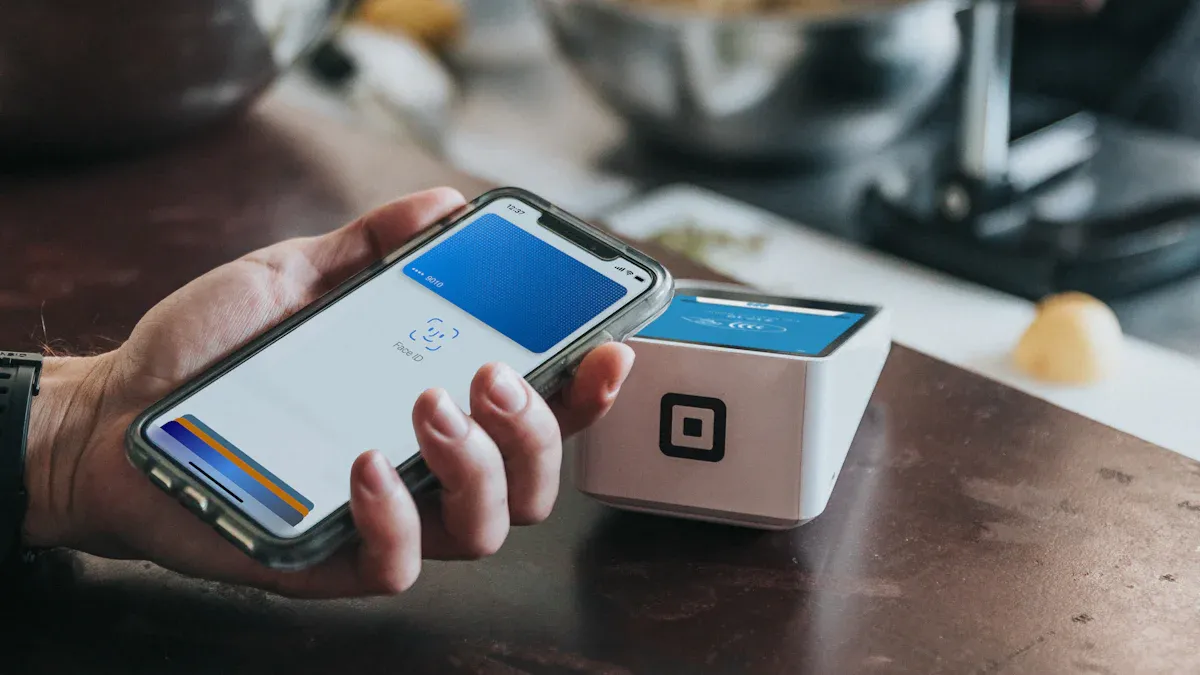
Image Source: unsplash
What is Venmo? It is a mainstream US payment app under PayPal that combines social features. After dining with friends, using it to split bills or pay rent is super convenient. This convenience makes it hugely popular, with total payment volume in 2023 alone reaching $270 billion.
This article provides step-by-step illustrated teaching, from registration and transfers to money-saving tips, letting you master all key issues in one read.
Key Points
- Venmo is a popular social payment app in the US, convenient for transfers and bill splitting among friends.
- Registering Venmo requires a US phone number, US bank account or card, and last four digits of SSN or ITIN.
- Paying, receiving, and standard withdrawals with bank accounts or debit cards avoid fees.
- Venmo transactions are public by default, but users can adjust privacy settings to protect personal records.
- Venmo is mainly for trusted friends; be especially careful transferring to strangers to prevent scams.
What is Venmo? Core Features Overview
Many people wonder what Venmo is? Simply put, it is a P2P (person-to-person) payment app combining social features, making transfers between you and friends as simple as messaging. It has completely changed payment habits among young US generations.
P2P Social Payment App Definition
P2P payment refers to direct “person-to-person” transfers. You don’t need cumbersome traditional bank wire processes; just a few taps in the app to send money to friends.
Venmo’s biggest feature is its “social” attribute. Each transfer can add notes and emojis, appearing on friends’ feeds (can set private), adding interaction and fun to money exchanges.
This is also Venmo’s biggest difference from tools like Zelle. Zelle is a direct transfer service built into banks, fast and free, but purely financial without any social features. Venmo is more like a payment version of a social platform.
Main Features: Pay, Receive, Withdraw
Venmo’s core features are very intuitive, mainly around three operations:
- Pay: You can transfer fee-free to any Venmo user from linked bank account, debit card, or Venmo balance. Using credit card to pay incurs 3% fee.
- Request: You can send payment requests to friends; once they agree, money transfers to your Venmo balance. This is very practical for meal splitting or reminding friends to repay.
- Withdraw: You can withdraw Venmo balance to your linked US bank account. Withdrawal methods divide into free standard withdrawal (1-3 business days) and fee-charging instant withdrawal (usually arrives in minutes).
Why So Popular in the US?
Venmo’s success key lies in perfectly integrating into young people’s life scenarios. According to statistics, up to 42% of Gen Z and 45% of Millennials use Venmo, far exceeding other age groups.
For “mobile-first” generations accustomed to handling everything on phones, Venmo provides unparalleled convenience. Whether splitting $50 dinner, paying rent, or just buying a friend coffee, no cash needed. Its simple interface, fast operations, plus fun social feeds make payments no longer cold transactions but part of friend interactions.
Venmo Registration Guide: Activate Account in 3 Minutes
Image Source: unsplash
After understanding what Venmo is, you will find opening an account very simple. Just prepare necessary documents and follow these steps—about 3 minutes to complete setup and start enjoying convenient transfers.
Pre-Registration Checklist
Before starting registration, confirm you have the following three items. Having these ready makes your registration process smooth:
- A valid US phone number: For receiving verification codes, first step in identity verification.
- A US bank account or card: You need to link a bank account (Bank Account), debit card (Debit Card), or credit card (Credit Card) as funding source.
- Last four digits of SSN or ITIN: Key for completing identity verification and raising transfer limits.
Account Registration and Identity Verification
After preparing documents, start registration. First, download the Venmo app from your phone’s App Store or Google Play. Open the app, choose to create account with email, set your username and password, and enter phone number for verification.
After basic registration, next is identity verification. Venmo guides you to enter name, birthday, address, and last four digits of SSN or ITIN.
Why is Identity Verification Important? Unverified accounts have very low transaction limits (weekly $299.99). After verification, your combined transaction limit greatly increases to weekly $60,000, crucial for paying rent or larger amounts.
Link Bank Account and Cards
Final step, link your payment methods. In the app, find “Settings” then “Payment Methods” option to add funding sources.
- Bank Account: This is the most recommended linking method, because paying or transferring from bank accounts is fee-free.
- Debit Card: Paying with debit card is also fee-free.
- Credit Card: You can also link credit cards, but note paying friends with credit card incurs 3% fee.
Recommend prioritizing linking bank account or debit card—this is the first step to smart money-saving in the future. After linking completes, your Venmo account is officially activated!
Venmo Transfer and Receive Operations Guide
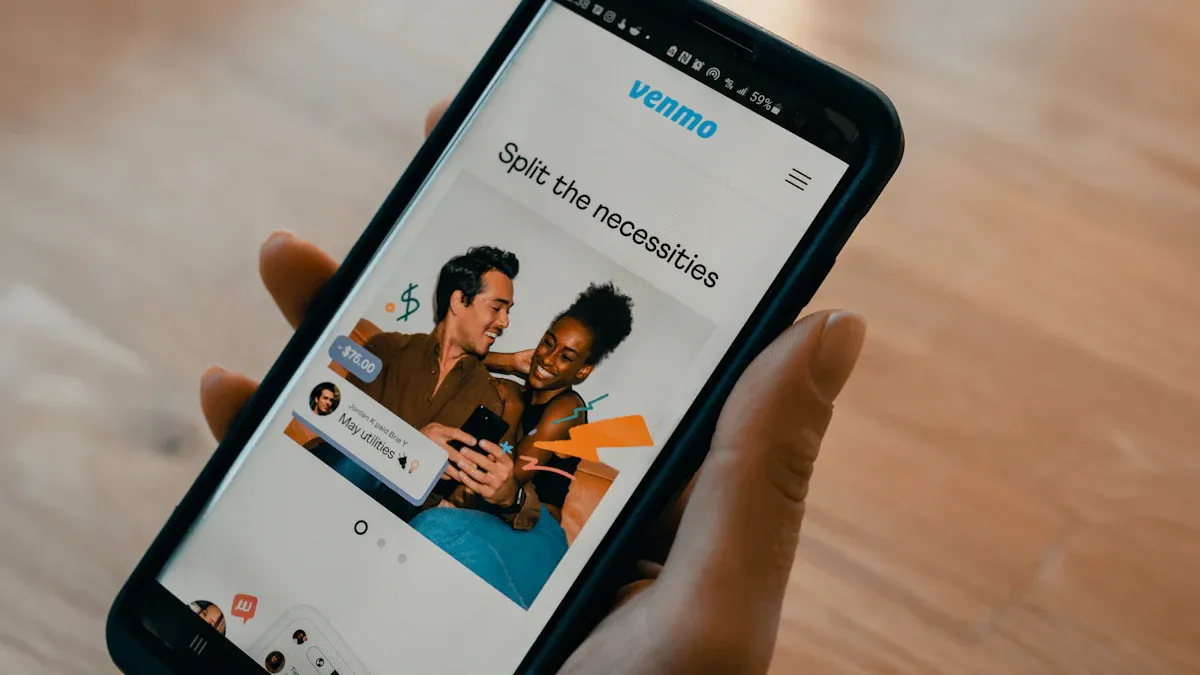
Image Source: unsplash
After completing account setup, you officially enter Venmo’s convenient world. Next, we deeply explore Venmo’s core operations: pay, receive, split, and withdraw. These features are designed very intuitively, making money exchanges between you and friends easy and fun. If you still not fully clear what Venmo is, through these actual operations, you will have deeper understanding of its social payment features.
How to Pay Others (Pay)
Paying friends is Venmo’s most basic and commonly used function. Whether repaying coffee money or paying your dinner share, just a few simple steps.
Operation process as follows:
- First, open your Venmo app, tap the “Pay” icon in top right of main screen.
- Choose recipient from your contacts list, or search via username, phone number, or email. If the person is nearby, scanning their QR code is fastest.
- Enter the amount you want to pay.
- In the “What’s this for?” field, add a note for this payment. You can explain purpose with text or add fun emojis—this is Venmo social feature’s essence!
- Before tapping “Pay,” confirm your payment source is what you want (e.g., bank account not credit card).
- Finally, tap “Pay” and confirm; payment sends immediately.
Payment Note Tips Each transaction can add a Venmoji (Venmo exclusive sticker), making transfer records more fun. But note each transaction can only choose one Venmoji, and your privacy settings determine who sees this transaction feed.
How to Request Payment from Others (Request)
When friends need to repay you or you pay for group meal first, you can proactively send payment requests to the other party. This function avoids awkwardness of asking for money in person; the other party just confirms in app.
Requesting payment from others is very simple:
- Tap the “Pay/Request” button at bottom of app main screen.
- In “To” field, choose or search the person you want to request from.
- Enter the amount you hope the other party pays.
- Similarly, explain payment purpose in note field, e.g., “Last week’s movie tickets 🎬”.
- Tap blue “Request” button.
- Double-check information correct, tap “Request” to send. The other party receives a notification reminding them to pay this amount.
How to Use Group Split (Split)
For scenarios needing split with multiple people, like roommates sharing rent/utilities or group travel common expenses, Venmo’s “Groups” function is very practical. It automatically calculates each person’s share, saving manual calculation hassle.
This function’s core advantage is:
- Ongoing Tracking: You can create an ongoing group (e.g., “Apartment Roommates”) and continuously add expenses within; system auto-updates each person’s owed status.
- Shared Management: Every group member can add expenses; all members see complete ledger, information fully transparent.
- Integrated Convenience: All calculations and transactions complete within Venmo app; no need for spreadsheets or other tools.
You can find “Groups” option from personal page “Me” tab to create new groups. Once members join, everyone can easily add expenses and settle accounts.
How to Withdraw Balance to Bank
When you receive payments via Venmo, money first stays in your “Venmo balance.” You can choose to use this money for next payments or withdraw to your linked US bank account.
Venmo provides two withdrawal methods; choose based on your needs:
| Transfer Type | Arrival Time | Fee |
|---|---|---|
| Standard Withdrawal | 1-3 business days | Free |
| Instant Withdrawal | Usually within 30 minutes | 1.75% (minimum $0.25, maximum $25) |
How to Operate Withdrawal:
- Go to your personal page “Me.”
- Tap “Transfer to Bank.”
- Enter the amount you want to withdraw.
- Choose “Standard Withdrawal” or “Instant Withdrawal.” If not urgent, choose standard withdrawal to save fees.
- Confirm withdrawal bank account information, then tap “Transfer” to complete.
Venmo Fees Full Strategy: How to Smartly Save Money
Although Venmo is very convenient for friend transfers, some operations actually incur extra fees. To avoid unnecessary spending, you must understand its fee rules. Many people only know what Venmo is but not its underlying fee structure, ending up paying fees unknowingly.
This strategy fully analyzes Venmo’s various fees and teaches you to become a money-saving expert, spending every cent wisely.
Various Fees Overview Table
First, use a clear table to quickly grasp Venmo’s most common fees. Most daily use scenarios are free, but key is avoiding several fee items.
| Item | Fee | Explanation |
|---|---|---|
| Pay from Bank Account/Debit Card/Balance | Free | This is the most recommended payment method, completely zero cost. |
| Pay with Credit Card | 3% | When you choose credit card to pay friends, Venmo charges this fee. |
| Standard Withdrawal to Bank | Free | Transferring Venmo balance to bank with 1-3 business days standard withdrawal incurs no fee. |
| Instant Withdrawal to Bank | 1.75% | If need money within 30 minutes, pay this fee (minimum $0.25, maximum $25). |
| Receive “Goods and Services” Payment | 1.9% + $0.10 | If you use business profile to receive or other party marks as purchasing goods, you are charged this fee. |
| In-App Check Cashing | 1% or 5% | Cashing government or payroll checks with instant credit costs 1%; other types 5% (minimum $5). |
Fee Small Reminder You may see outdated info online with “instant withdrawal” fee as 1% or 1.5%. Per official latest announcement, current rate is 1.75%. All fees subject to final rates displayed in your mobile app.
0 Fee Transfer Secrets
To achieve 0 fee transfers on Venmo, the secret is very simple: avoid using credit card to pay friends. As long as you follow these principles, easily save 3% fee:
- ✅ Prioritize Using Venmo Balance: If you have money in account, use it for payments first choice.
- ✅ Link Your Bank Account: Direct deduction from bank account is completely free.
- ✅ Use Debit Card: Like bank account, paying with debit card is also free.
Although Venmo itself charges 3% for credit card transfers, some credit card companies may also treat such transactions as “cash advance,” incurring higher interest and extra fees. You can check your card in Venmo app “Wallet” for related potential fee warnings.
⚠️ Money-Saving Small Trap On payment page, you may see a “Turn on for purchases” switch. Do not casually turn it on! This function is designed for “purchasing goods or services”; once on, the recipient (your friend) is charged a seller transaction fee (about 1.9% + $0.10). Unless really buying from merchants, keep this switch off.
Withdrawal Fee Choice Strategy
When your Venmo account has balance, you have two ways to transfer to your bank account. Your choice determines whether you pay fees.
| Transfer Type | Fee | Arrival Speed |
|---|---|---|
| Standard Withdrawal | Free | Usually 1-3 business days |
| Instant Withdrawal | 1.75% (minimum $0.25, maximum $25) | Usually within 30 minutes |
Your Best Strategy is What?
Very simple: Plan money usage time.
If not urgent, choose “Standard Withdrawal.” Though waiting 1-3 days, it is completely free. For most people, like receiving friends’ repaid dinner or rent money, this is the most cost-effective choice.
Only in urgent money needs consider “Instant Withdrawal.” Though convenient and fast, cost is 1.75% fee. For example, withdrawing $1,000 costs $17.5 fee—this money can easily be saved.
Venmo Limits, Arrival Times, and Security Notes
After understanding operations, you also need to know Venmo’s game rules, including transaction limits, fund arrival speeds, and most important security notes. Mastering these lets you use more smoothly while protecting account security.
Transfer and Withdrawal Limits
Venmo sets different transaction limits for different verification statuses. Newly registered accounts without identity verification have very low weekly person-to-person payment limit of $299.99. This limit covers all your payments in seven days.
To enjoy higher flexibility, strongly recommend completing identity verification. After verification, your limits greatly increase.
| Account Status | Weekly Withdrawal to Bank Limit | Single Instant Withdrawal Limit |
|---|---|---|
| Unverified Account | $999.99 | N/A |
| Verified Account | $19,999.99 | $5,000 |
Various Transaction Arrival Times
Different transaction types have different arrival times; understanding these helps better plan funds.
- Friends Transfer to You: When friends pay you from their Venmo balance or debit card, funds immediately appear in your Venmo balance.
- Standard Withdrawal: This is the free withdrawal method; funds usually take 1-3 business days to reach your bank account. Note transfers initiated after 7:00 PM Eastern Time or on weekends process next business day.
- Instant Withdrawal: If urgent money need, pay 1.75% fee for instant withdrawal. Funds usually arrive in your linked bank account or debit card within 30 minutes.
Account Security Settings and Anti-Fraud
Although Venmo is convenient, it is also a target for scammers. You must stay vigilant to protect your account. Common scam methods include:
- Phishing Email Scams: Scammers impersonate Venmo official, sending fake emails or texts to trick you into clicking malicious links and entering account password.
- Fake Buyer Scams: In second-hand transactions, fake buyers pay then cancel after you ship goods, leaving you losing both money and items.
- Identity Theft Scams: Scammers steal your friend’s account to message you requesting urgent transfers.
Security First Rule Venmo’s original design is for use between people you know and trust. Never transfer money to strangers. If doing second-hand sales, be sure to ask the other party to enable “Pay for Goods or Services” option when paying, so transactions receive Venmo’s purchase protection.
If you suspect encountering a scam, immediately take these actions:
- Report in App: Go to the user’s profile page, tap top right “…” icon, choose “Report” and block the other party.
- Contact Your Bank: If funds deducted from your bank account or credit card, immediately notify bank fraud department; they may assist handling disputes.
- Contact Venmo Support: You can contact official support through in-app help center or email support@venmo.com.
In summary, Venmo has become an indispensable payment tool in US life. Whether splitting meal costs with friends, paying rent, or handling daily small transactions, Venmo makes your money exchanges incredibly easy.
Through this teaching article, you have learned three core techniques:
- Quickly complete registration and identity verification
- Master simple operations for pay, request, and withdraw
- Use tips to avoid credit card and withdrawal fees
You have mastered all key knowledge and can immediately start enjoying this payment powerhouse’s convenience!
FAQ
Can I use Venmo without a US bank account?
No. You must have a US phone number and US bank account or card to register and use Venmo. This is its basic requirement, currently not supporting other countries’ financial institutions.
What if I accidentally transfer to wrong account?
Venmo cannot unilaterally cancel completed payments. You should immediately send a payment request to that user and politely explain the situation. If the other party doesn’t respond, you can contact Venmo support for assistance.
Can Venmo and Zelle transfer to each other?
No. Venmo and Zelle are two independent payment systems without interoperability. You can only transfer between Venmo users or between Zelle users, no cross-platform operations.
Are Venmo transaction records public?
By default, your transaction feeds (excluding amounts) appear on friends’ walls. You can set future all transactions to “Private” in “Settings” under “Privacy,” fully protecting your transaction records from being seen.
*This article is provided for general information purposes and does not constitute legal, tax or other professional advice from BiyaPay or its subsidiaries and its affiliates, and it is not intended as a substitute for obtaining advice from a financial advisor or any other professional.
We make no representations, warranties or warranties, express or implied, as to the accuracy, completeness or timeliness of the contents of this publication.
Related Blogs of

How Mainland Chinese Can Apply for a Hong Kong Bank Card: In-Depth Analysis of HSBC and BOC Hong Kong Account Opening Requirements


PayPal Payment Process Tutorial: All Fees Explained Clearly

Avoid These Pitfalls: Tips for Successfully Registering and Using a U.S. PayPal Account


Beginner's Guide to US Individual Income Tax Rates: Understanding Minimum Filing Income Requirements
Choose Country or Region to Read Local Blog
 Australia
 Austria
 Belgium
 Canada
 Cyprus
 Czech Republic
 Denmark
 Estonia
 Finland
 France
 Germany
 Greece
 Hong Kong
 India
India Indonesia
 Ireland
 Italy
Italy Japan
Japan Latvia
 Lithuania
 Luxembourg
 Malaysia
 Malta
Malta Morocco
 Nepal
Nepal Netherlands
 New Zealand
 Norway
 Pakistan
 Philippines
 Poland
 Portugal
 Romania
 Singapore
 Slovakia
 Slovenia
 South Africa
 South Korea
 Spain
Spain Sweden
 Thailand
 The United States
 Turkey
 United Arab Emirates
 United Kingdom
 Vietnam
Contact Us




BIYA GLOBAL LLC is a licensed entity registered with the U.S. Securities and Exchange Commission (SEC No.: 802-127417); a certified member of the Financial Industry Regulatory Authority (FINRA) (Central Registration Depository CRD No.: 325027); regulated by the Financial Industry Regulatory Authority (FINRA) and the U.S. Securities and Exchange Commission (SEC).
BIYA GLOBAL LLC is registered with the Financial Crimes Enforcement Network (FinCEN), an agency under the U.S. Department of the Treasury, as a Money Services Business (MSB), with registration number 31000218637349, and regulated by the Financial Crimes Enforcement Network (FinCEN).
BIYA GLOBAL LIMITED is a registered Financial Service Provider (FSP) in New Zealand, with registration number FSP1007221, and is also a registered member of the Financial Services Complaints Limited (FSCL), an independent dispute resolution scheme in New Zealand.